
Work · Case study · Architectural visualisation
A residential annex, placed into photographs of its real site
A homeowner in Kent is planning a timber-clad, oak-framed annex beside the existing house. Instead of an image on a blank background, the brief was to show the building exactly where it will stand, in photographs of the real site, so neighbours, planners and the family can judge it in context.
- Type
- Residential planning visuals
- Input
- Architect's drawings and site photographs
- Delivered
- Photo-matched stills of the annex in its setting
- Tools
- Maya, V-Ray, Chaos Cosmos, Nuke
From the drawings
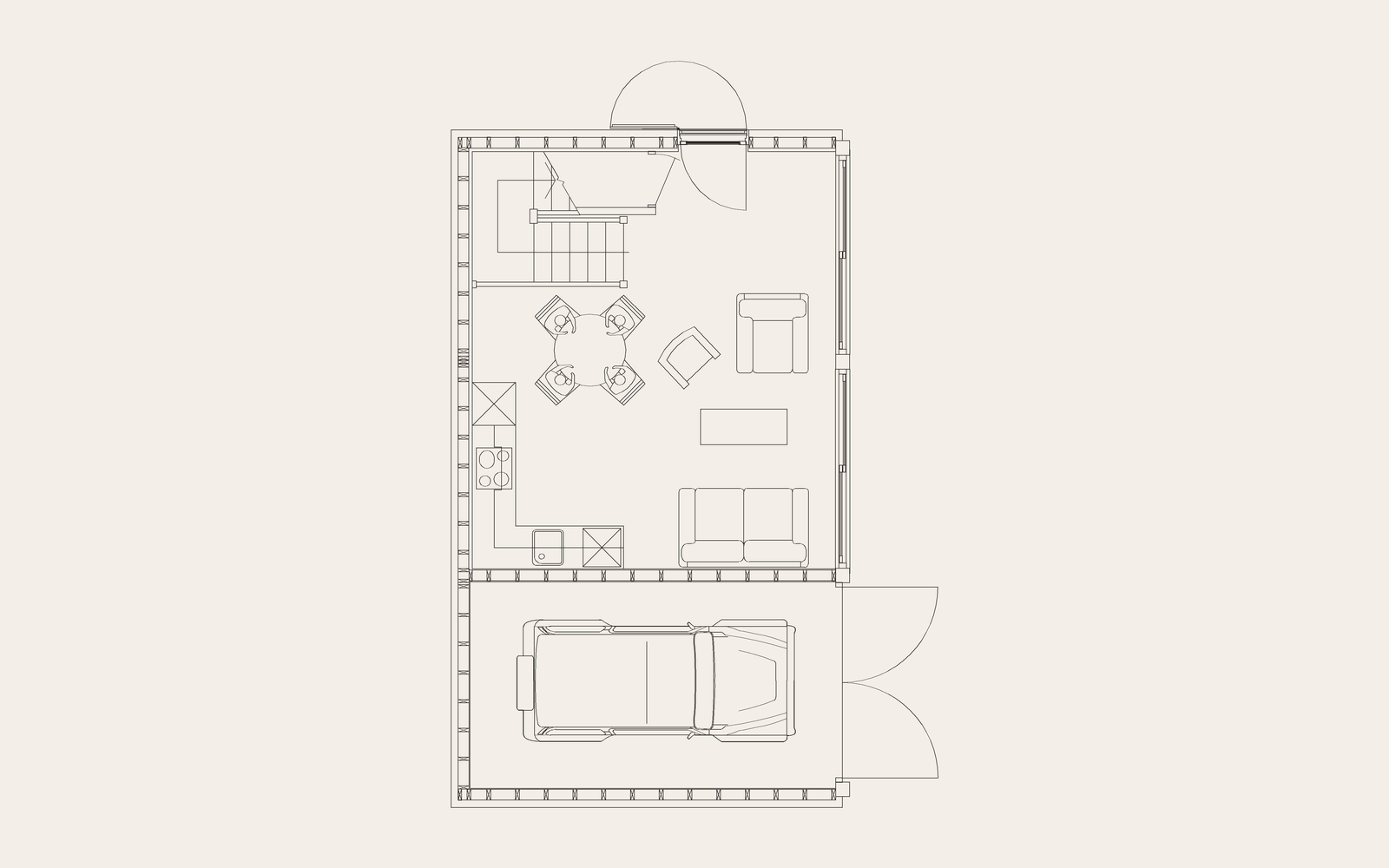
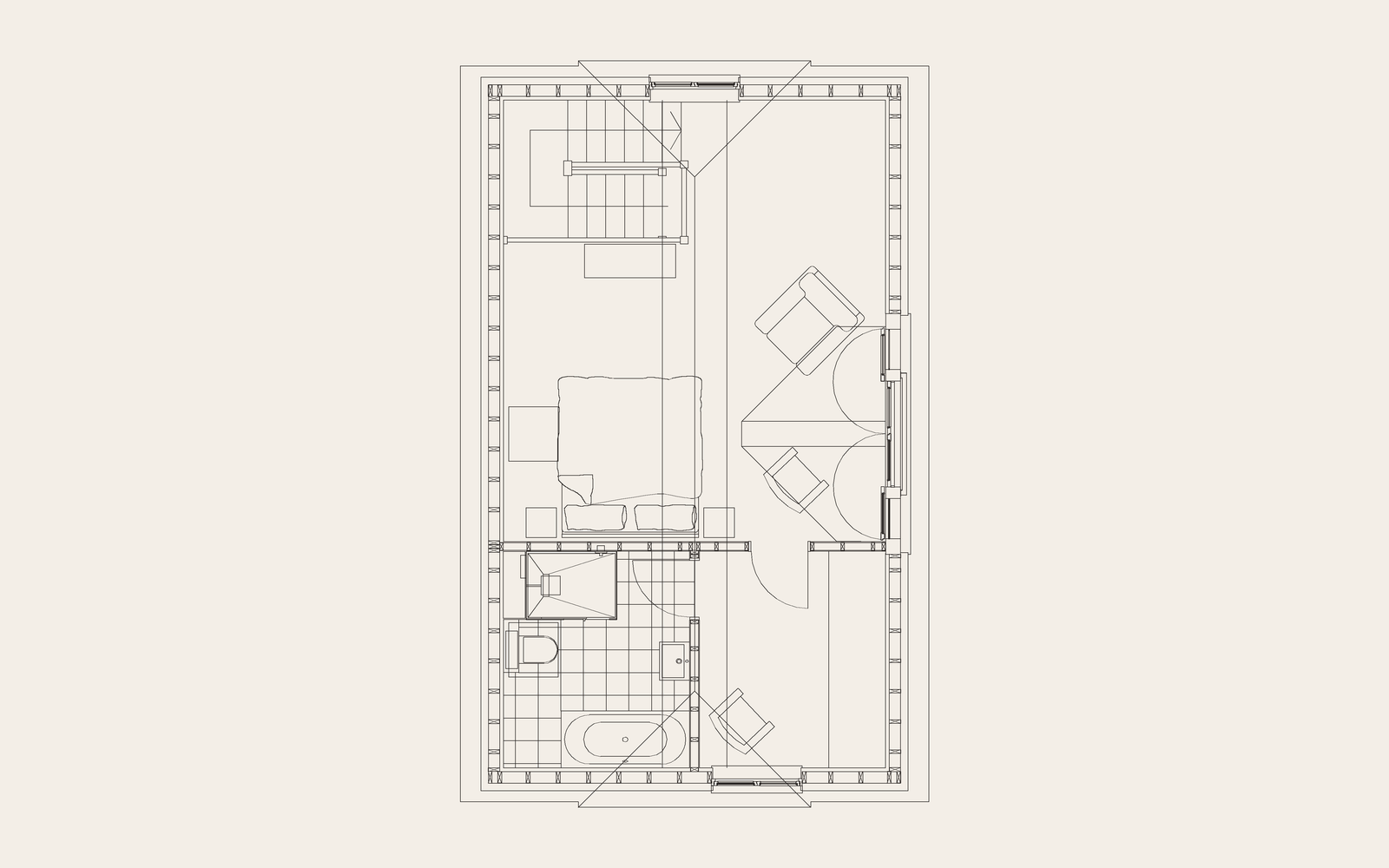
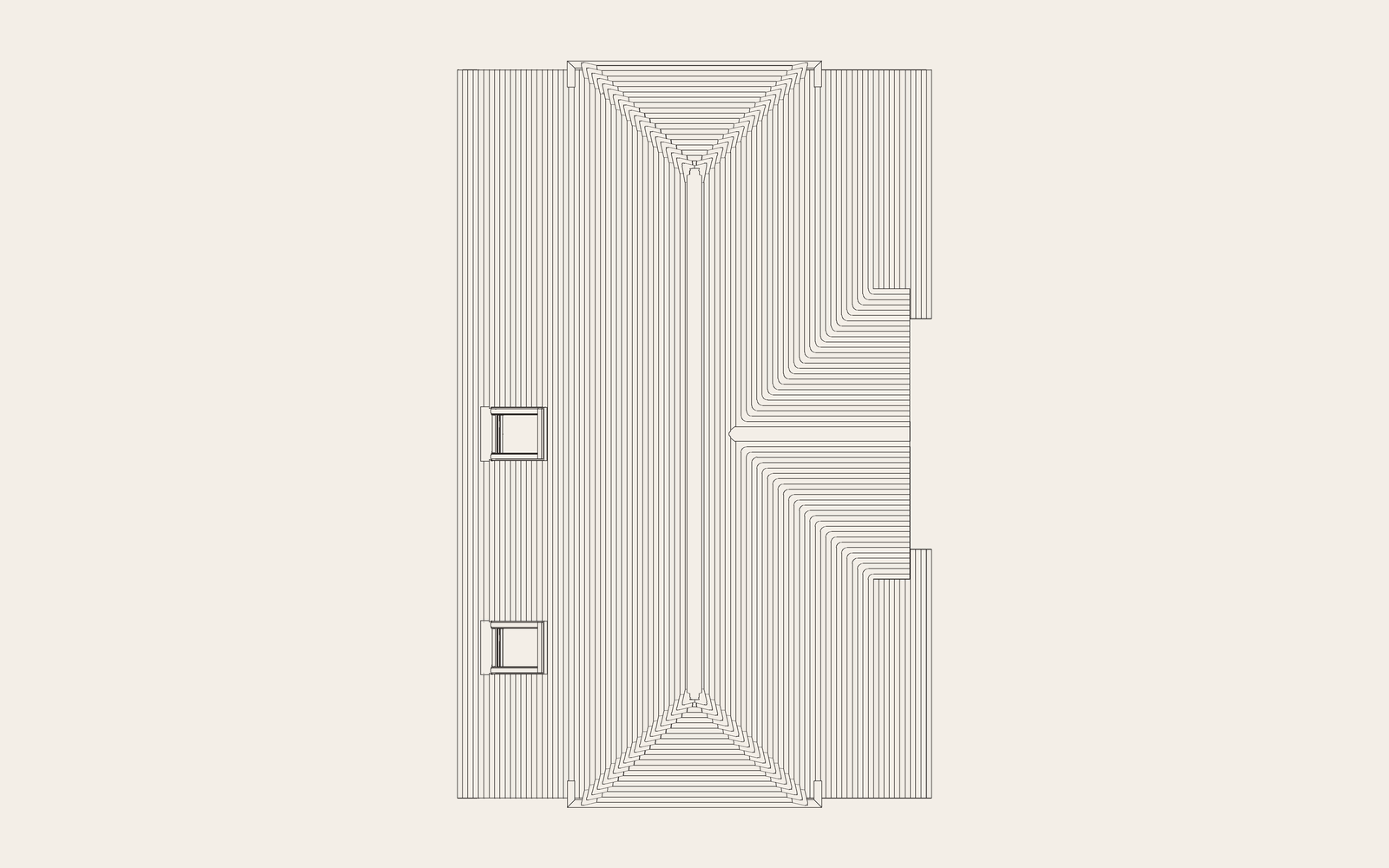
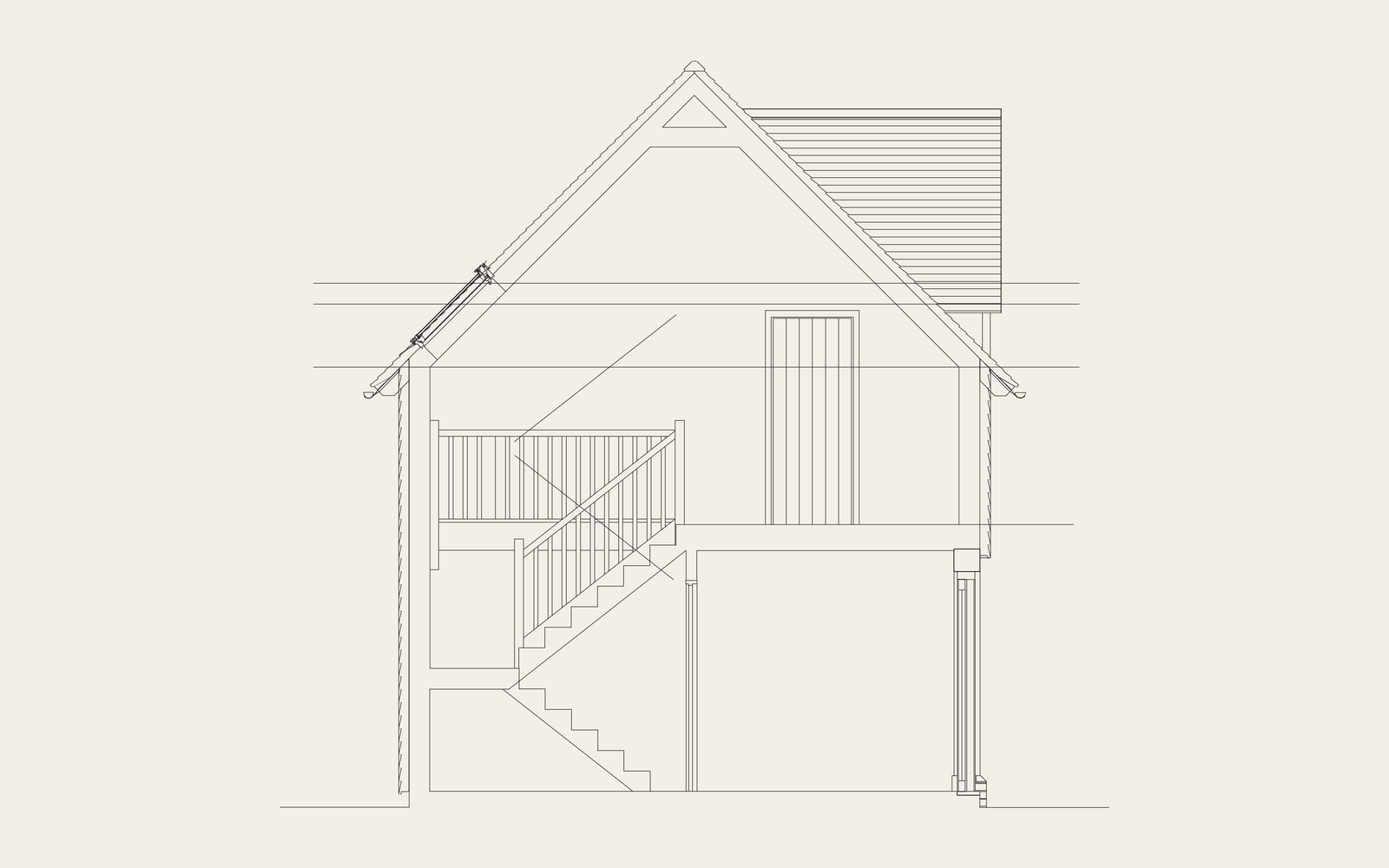
Elevations, plans and section
The architect's CAD was brought into the scene as clean linework and the model built over it, so every opening, frame and roof line sits exactly where it is drawn.
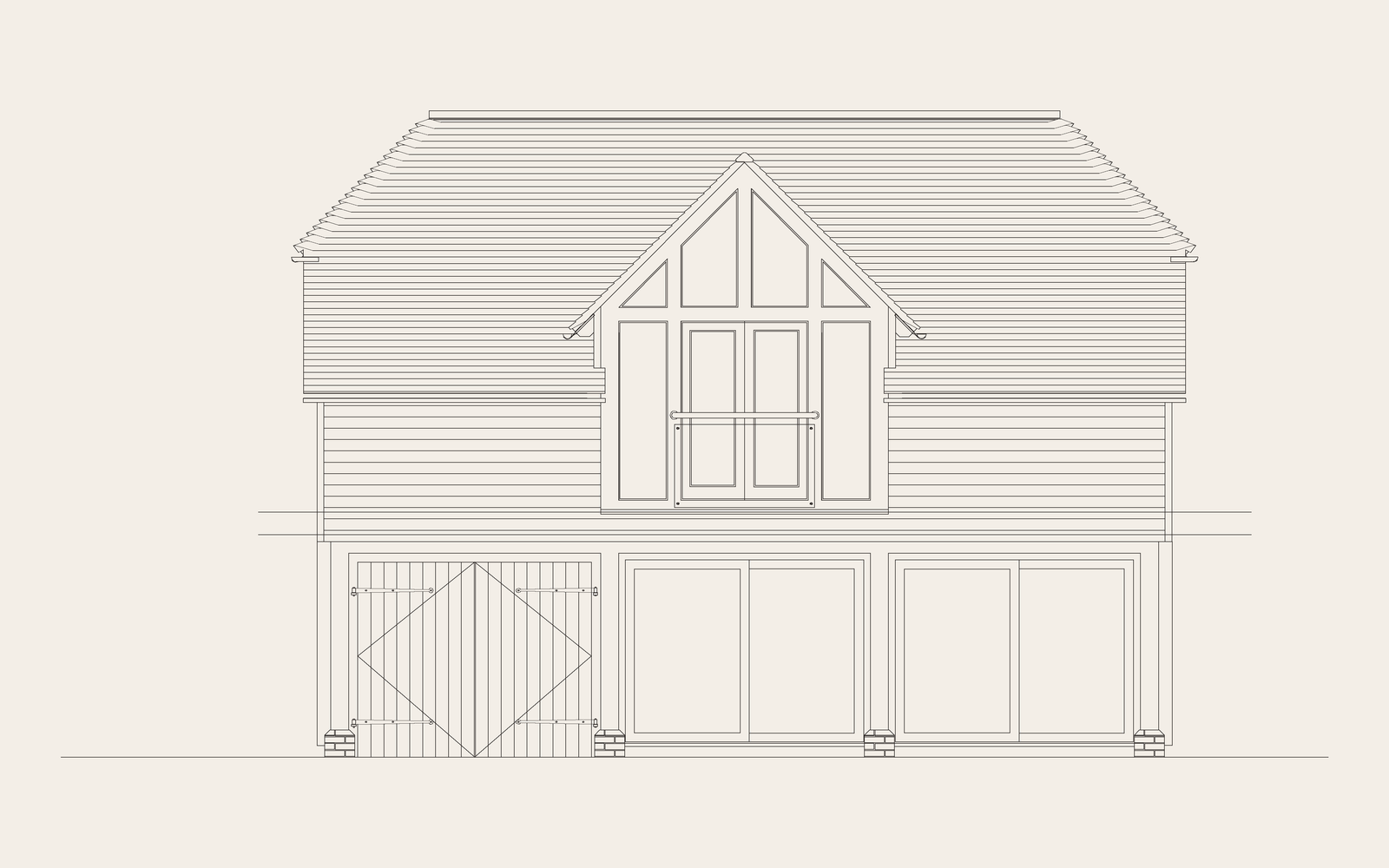
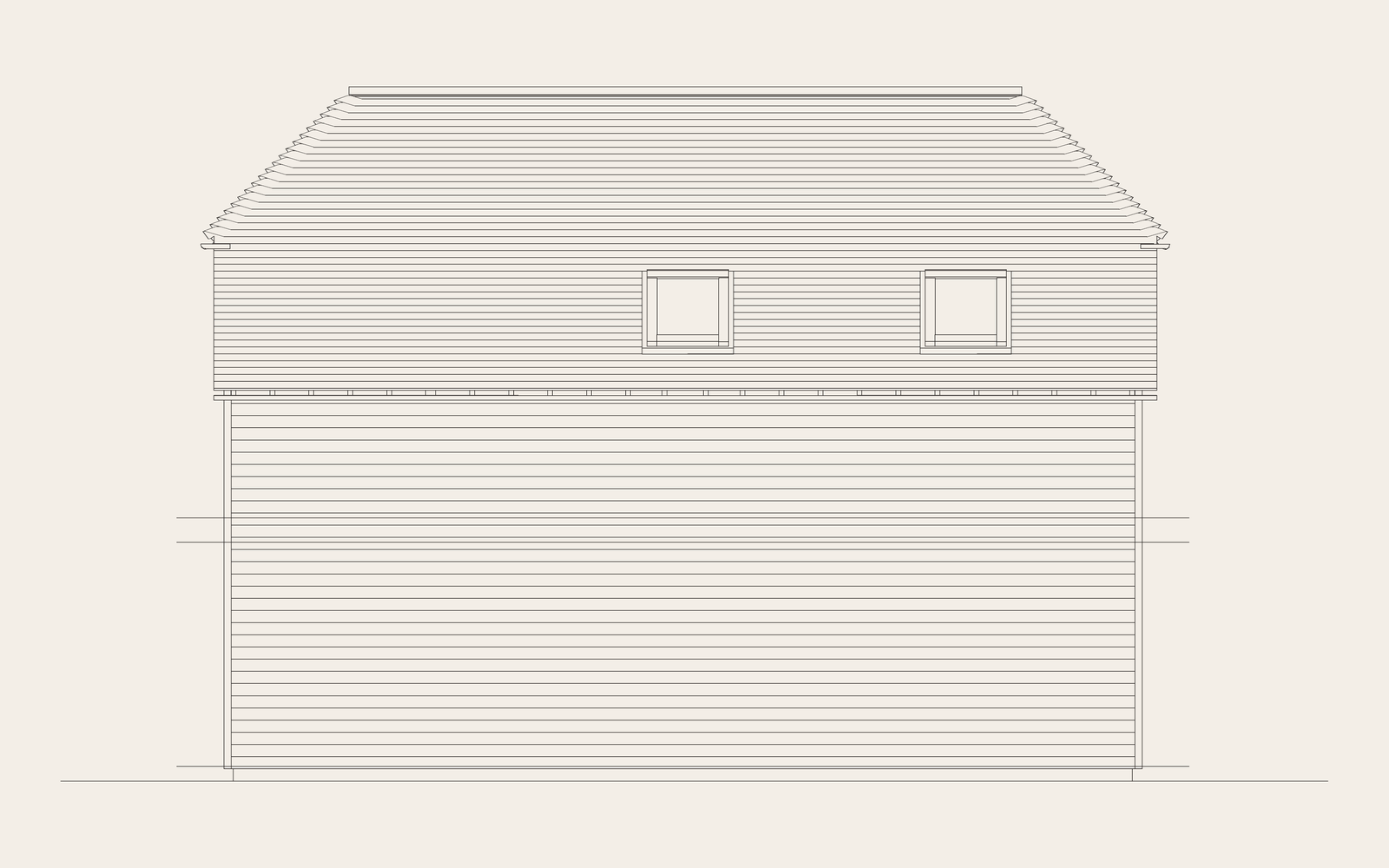
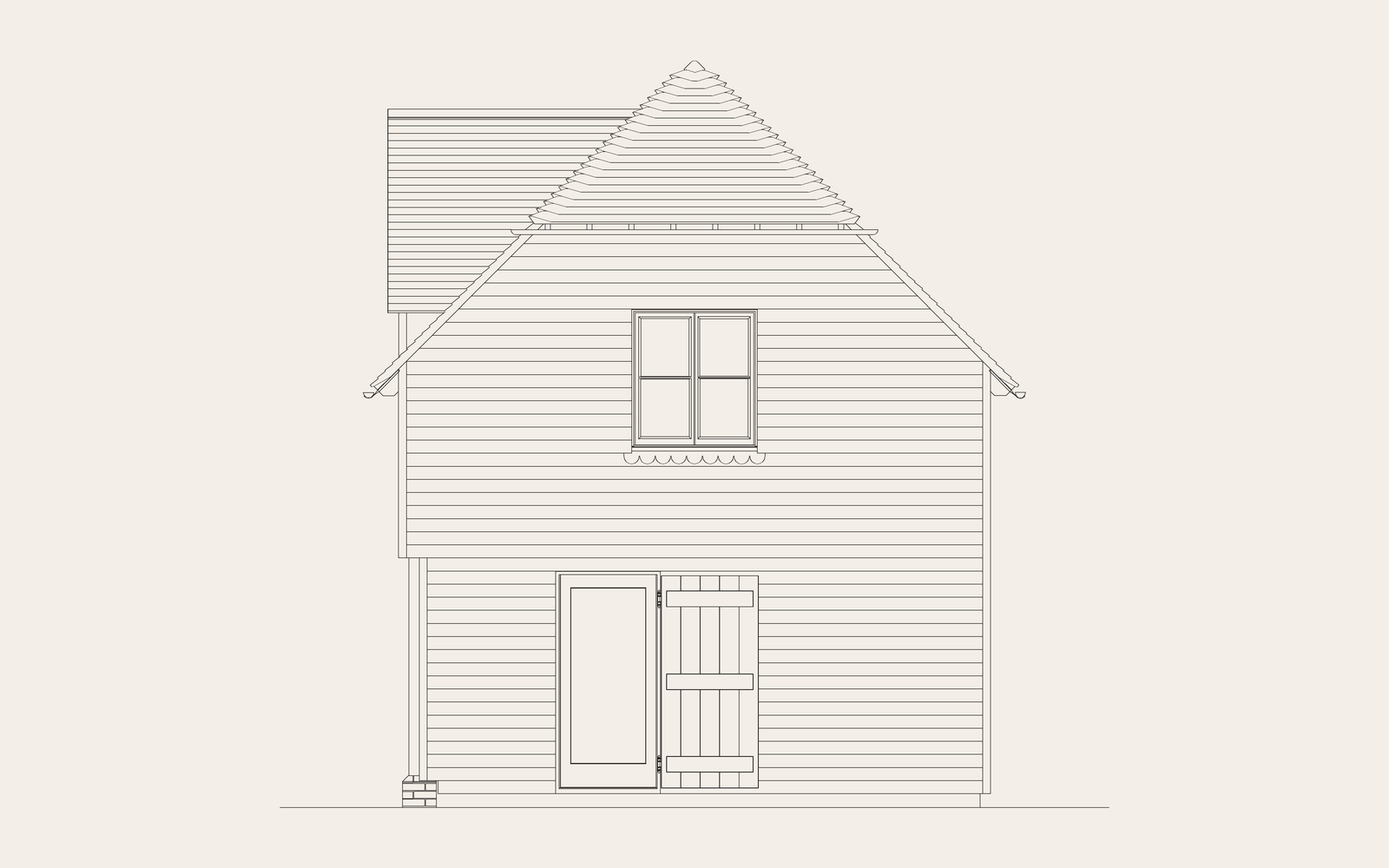
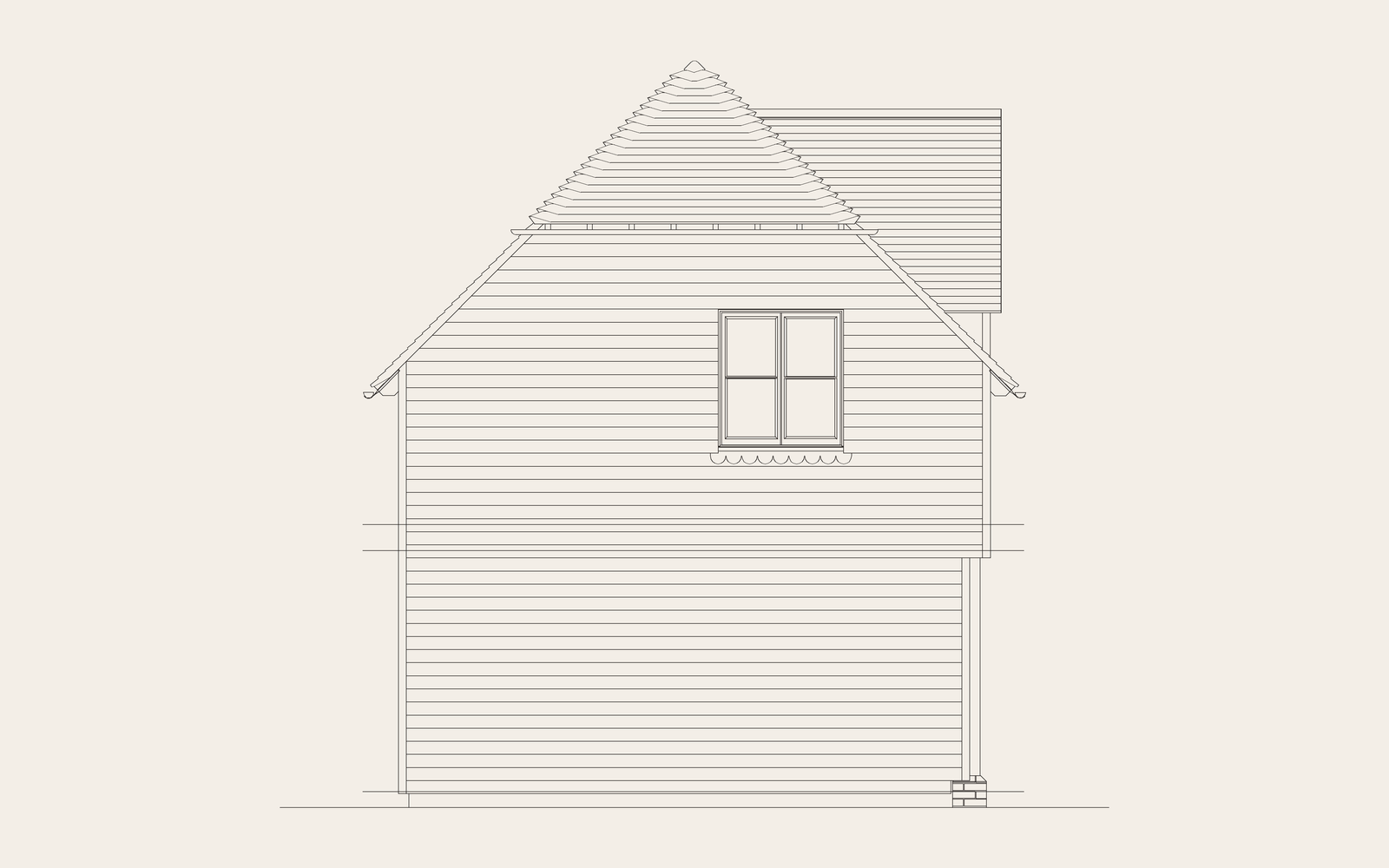
The setting
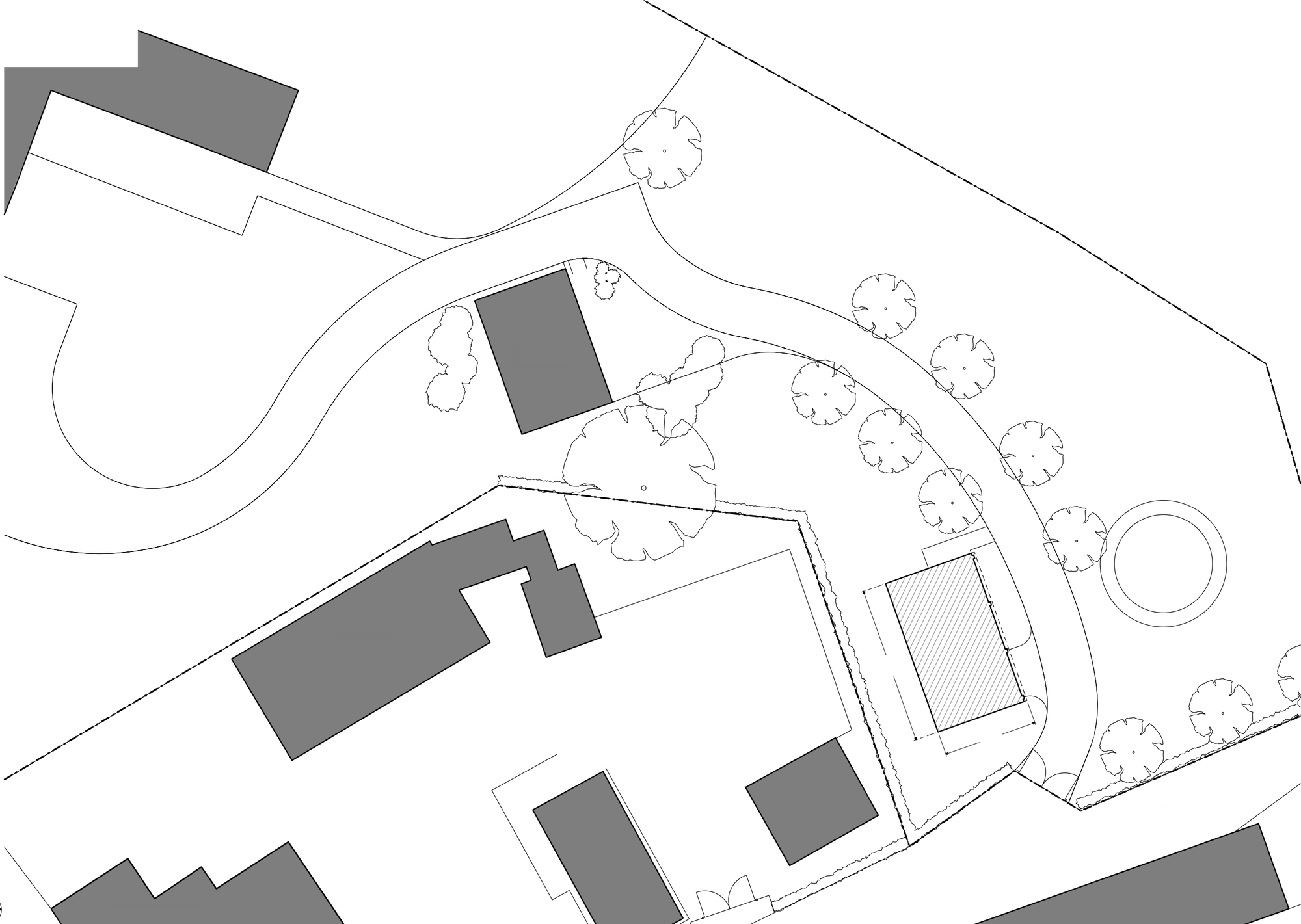
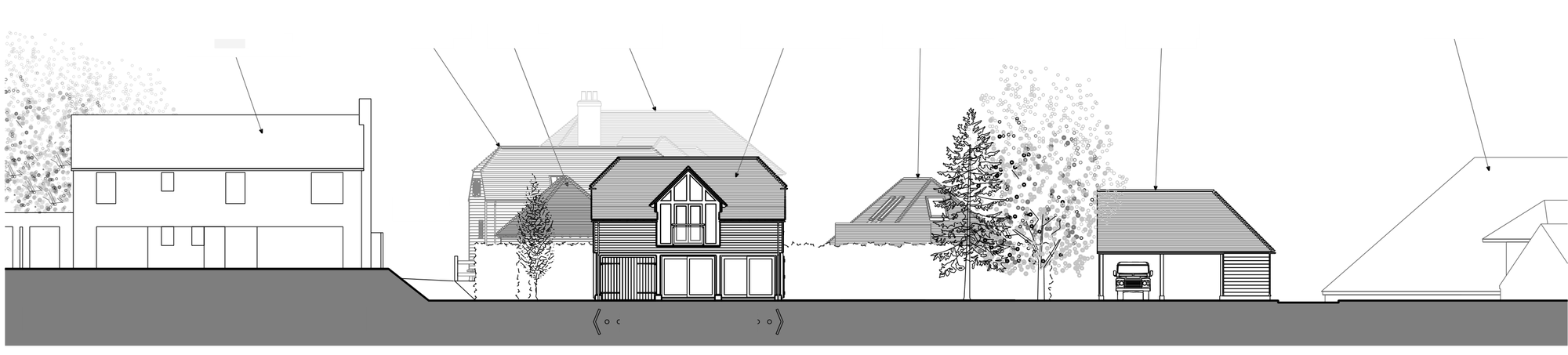
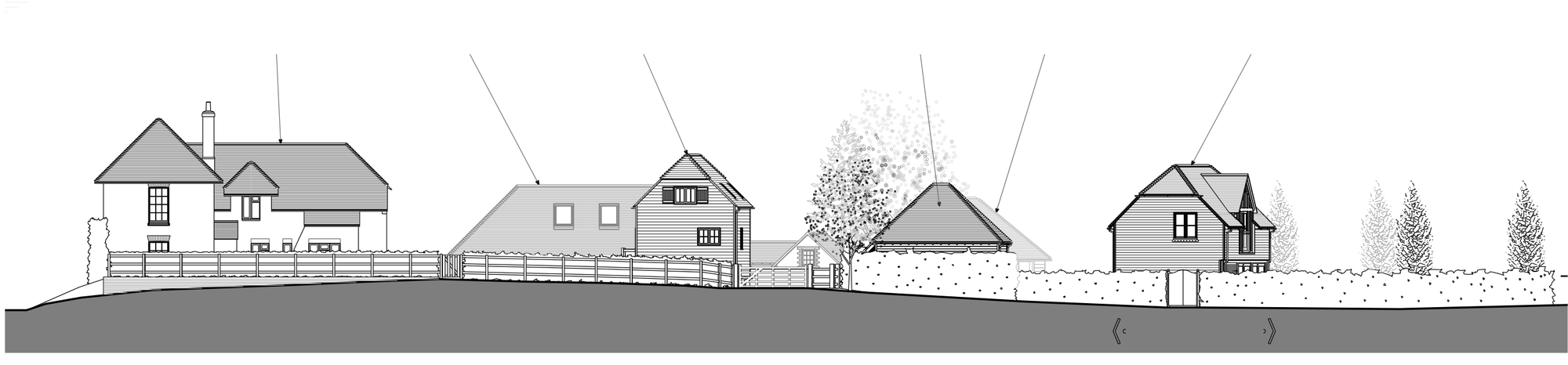
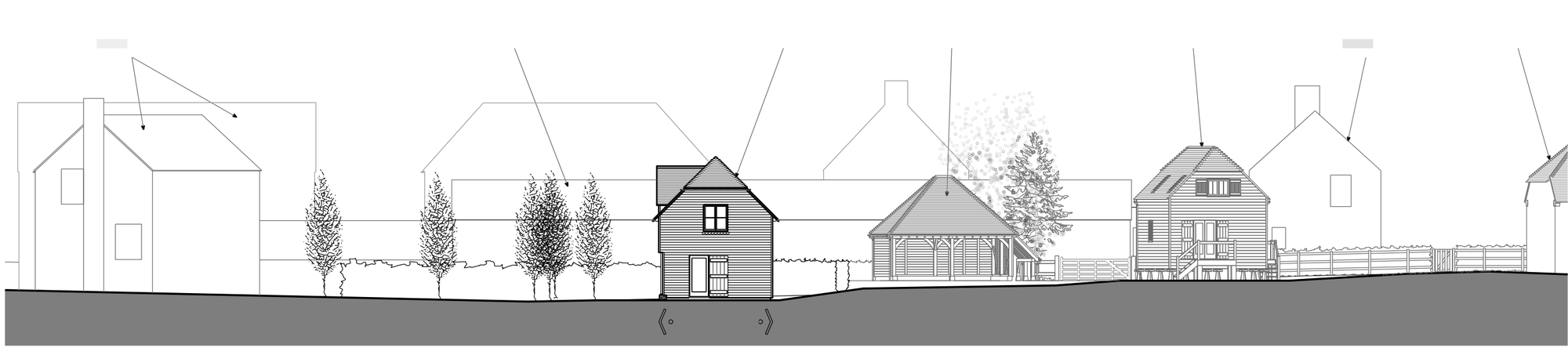
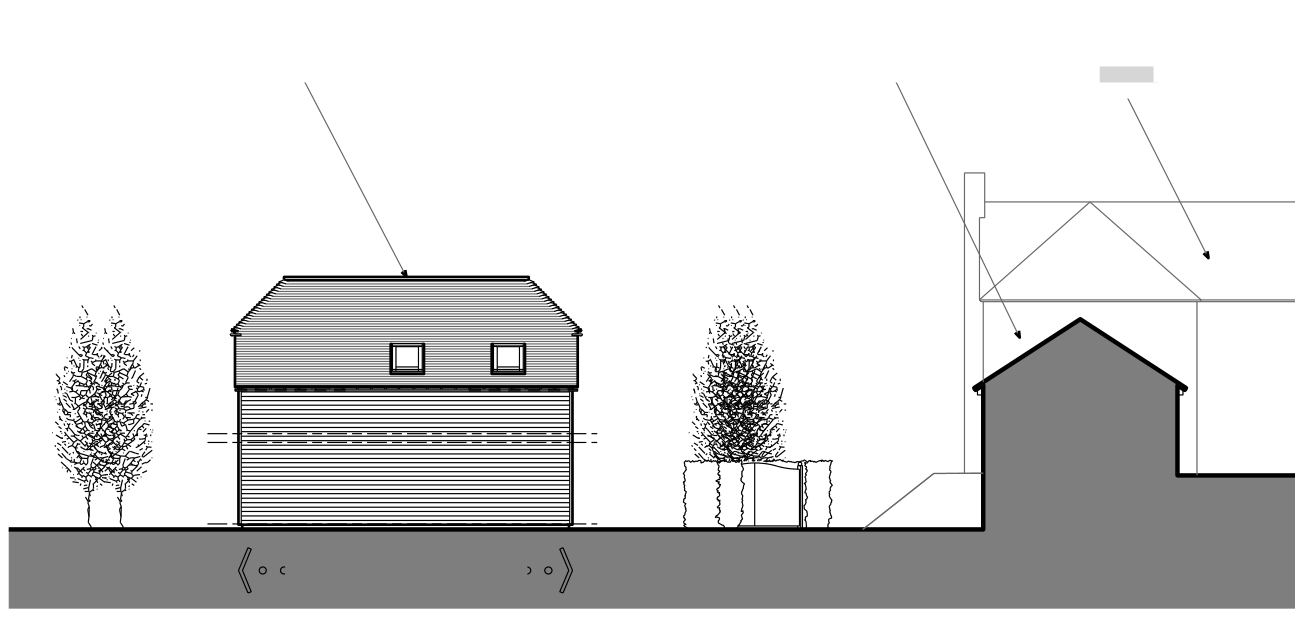
Site plan and context elevations
The site plan and the four context elevations show the annex alongside the buildings and trees around it, the same context the photo-matched views are judged in. Names and labels have been removed to keep the property private.
Clay to final
Every board checked in clay first
The whole model is reviewed as a plain clay render before any materials go on, so proportions, roof pitches, frame sizes and window divisions can be checked against the drawings while changes are still quick. Drag the slider to compare.
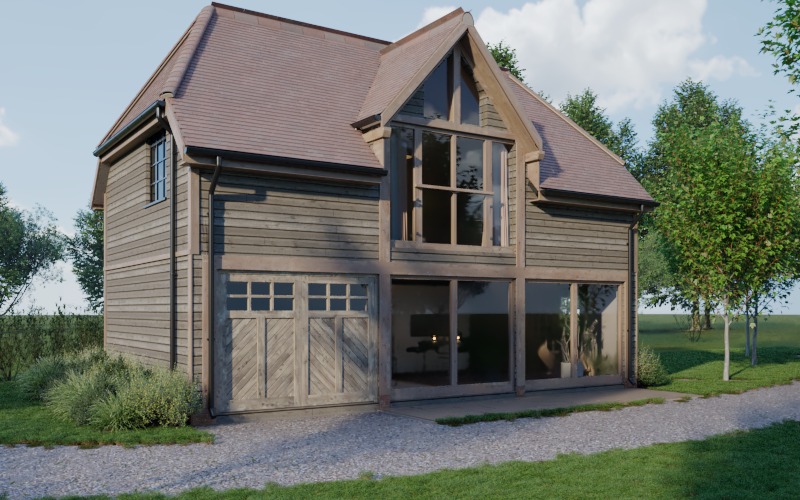
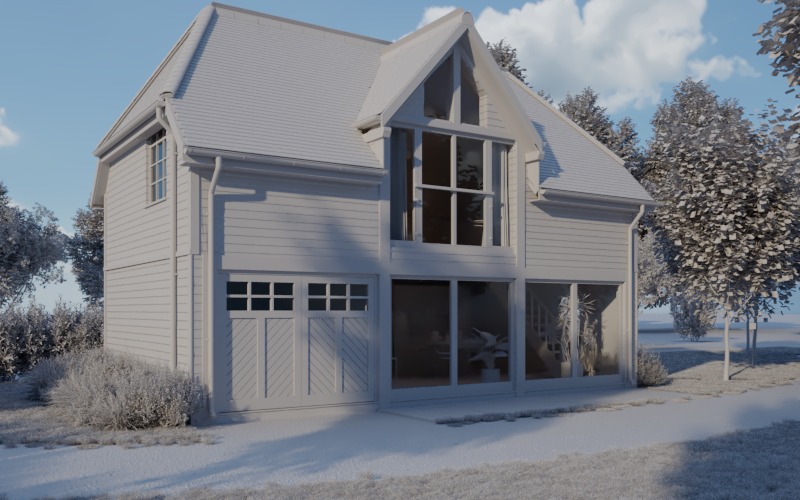 ClayFinal
How it was made
From the architect's drawings to the site photo
Built to the drawings
The annex was modelled to the millimetre from the architect's plans, sections and elevations, down to the boarding, oak frame, garage doors and roof tiles.
Real materials
Weathered oak boarding, green oak framing and clay plain tiles, using scanned Chaos Cosmos materials at true real-world scale.
Camera matched to the photo
Each camera was solved from features on the site plan visible in the photo, using the camera's own lens and sensor data, so the building sits exactly where it will be built.
Light read from the photo
The render's sky light is matched to the light in each photograph, with exposure calibrated against real materials already in the picture.
Rendered in passes
One multi-layer render per view, with separate lighting, shadow, reflection and depth passes, so every part can be balanced to the photo.
Blended into the plate
Contact shadows on the real ground, interior lights balanced through the glazing, and grain and softness matched to the camera.
The whole building
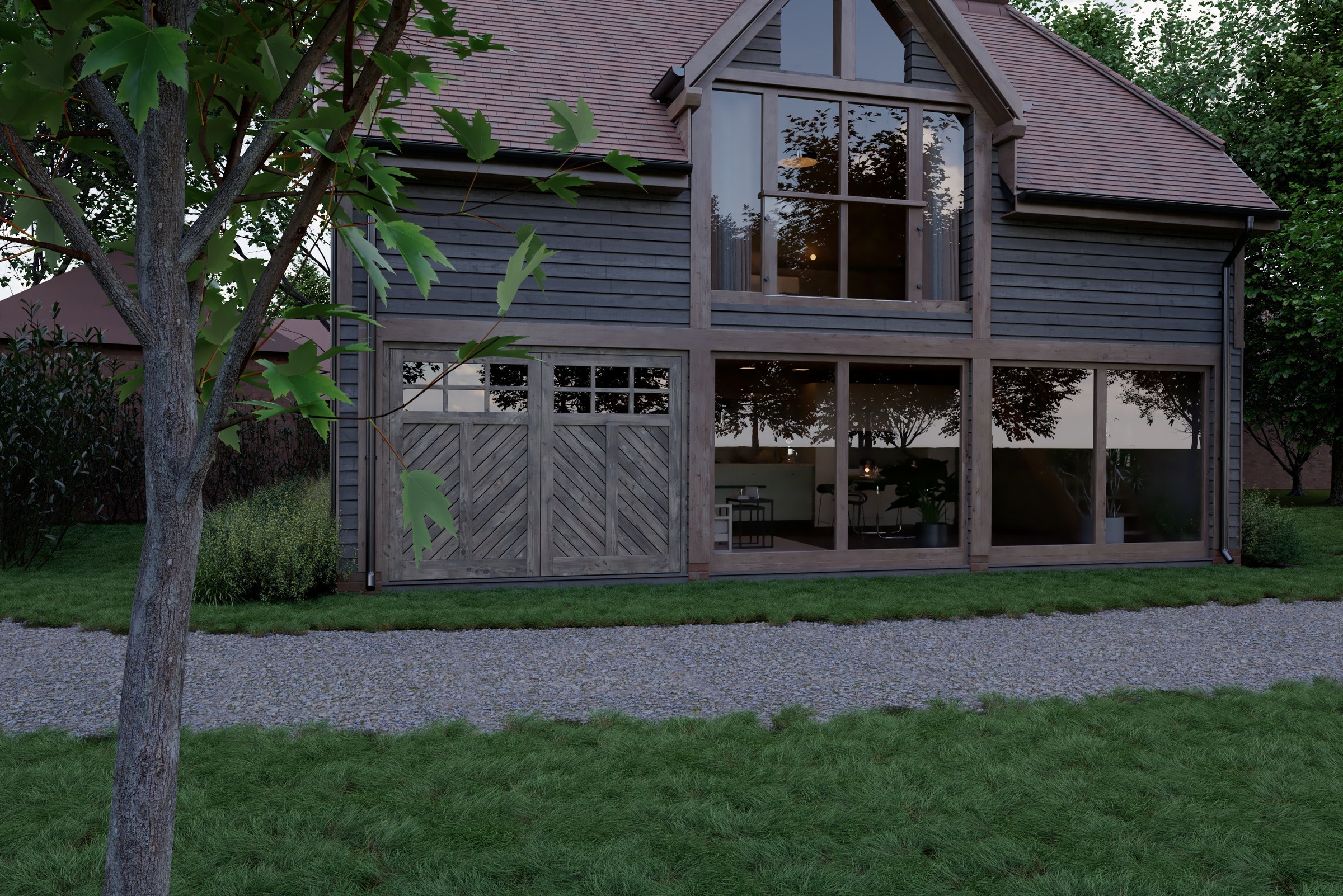
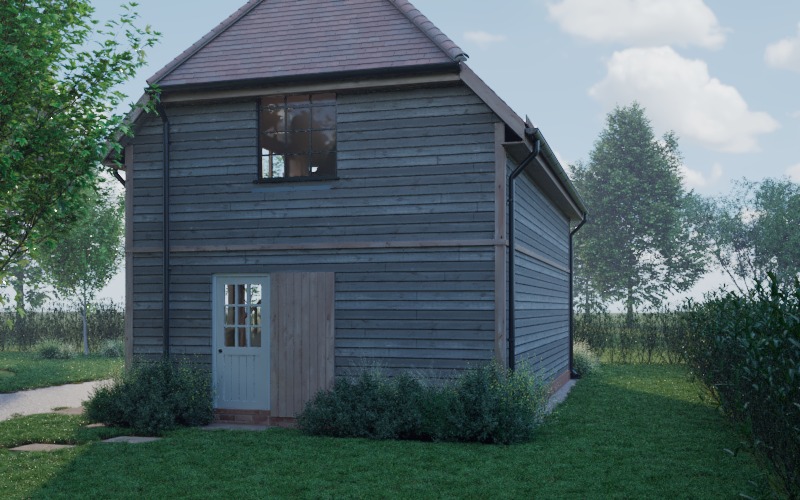
The annex in full
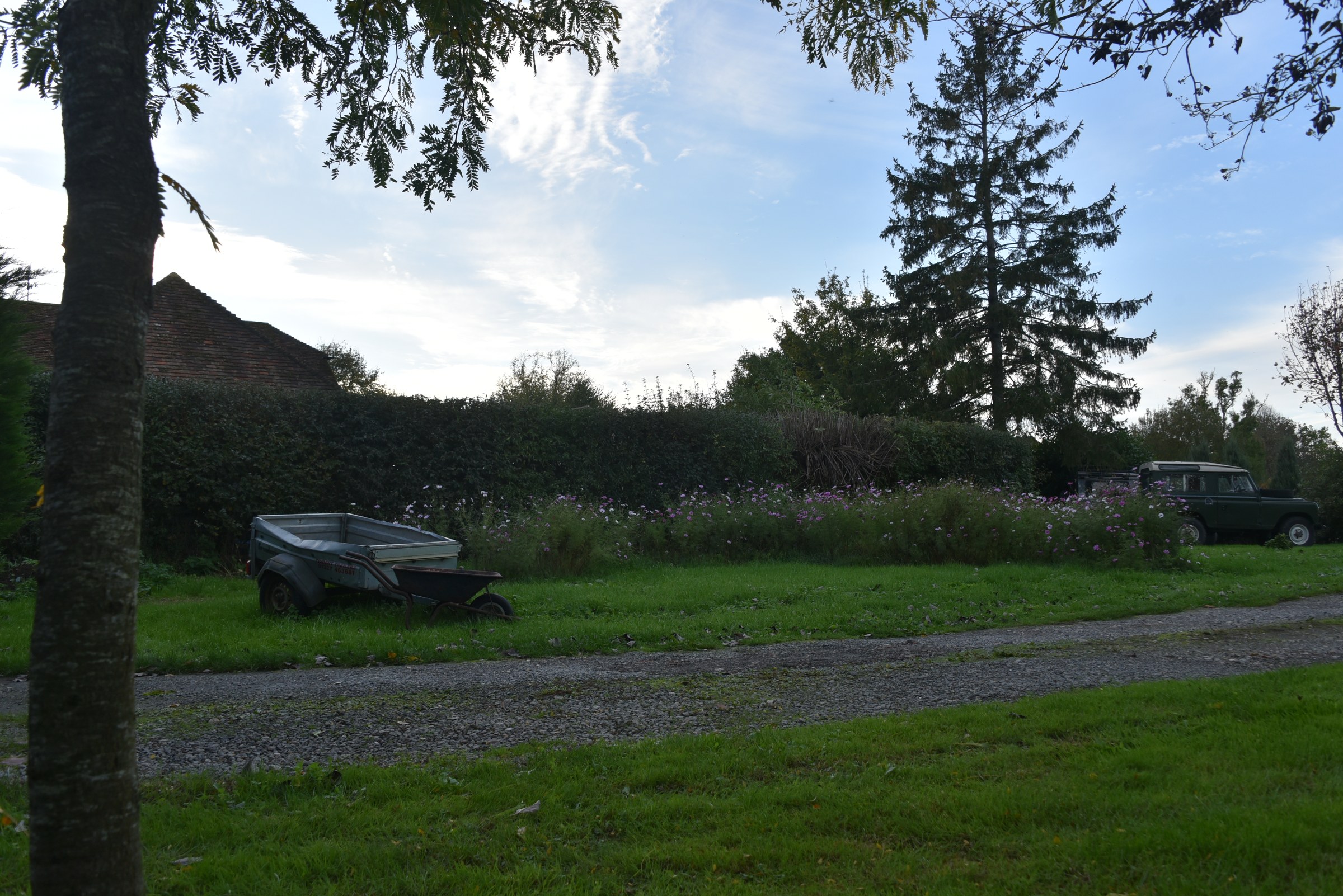
The untouched site photograph from across the lawn, next to the full CG render of the same view, camera-matched to the photo, with the annex, drive, trees and lawn all rebuilt in 3D, plus the entrance side of the building.
Before and after
The same photograph, with the building in it
Every view starts from a real photograph of the site. The annex is rendered with a camera matched to that exact photo, then blended in so the light, shadows and grain belong to the picture. Drag the slider to compare.
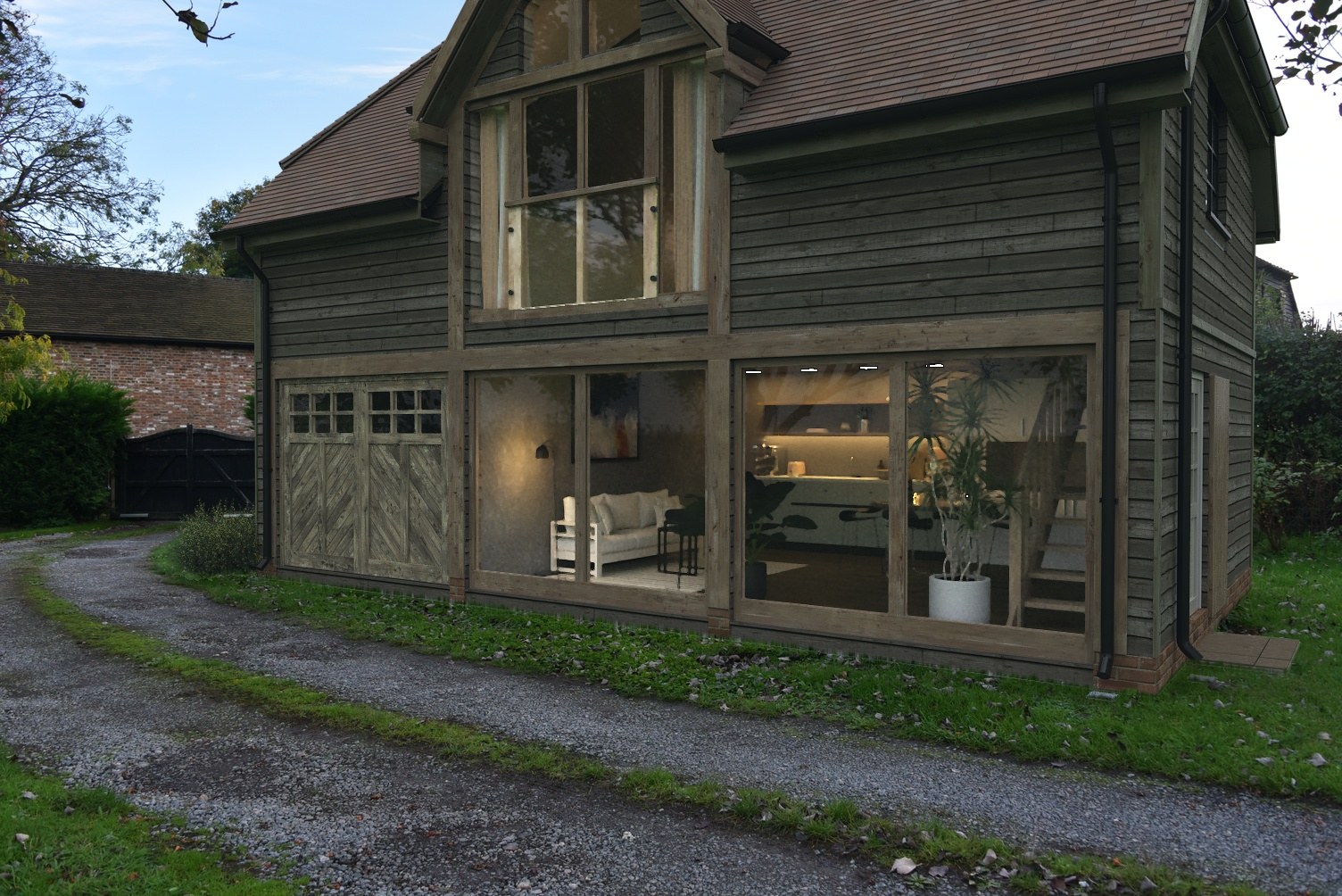
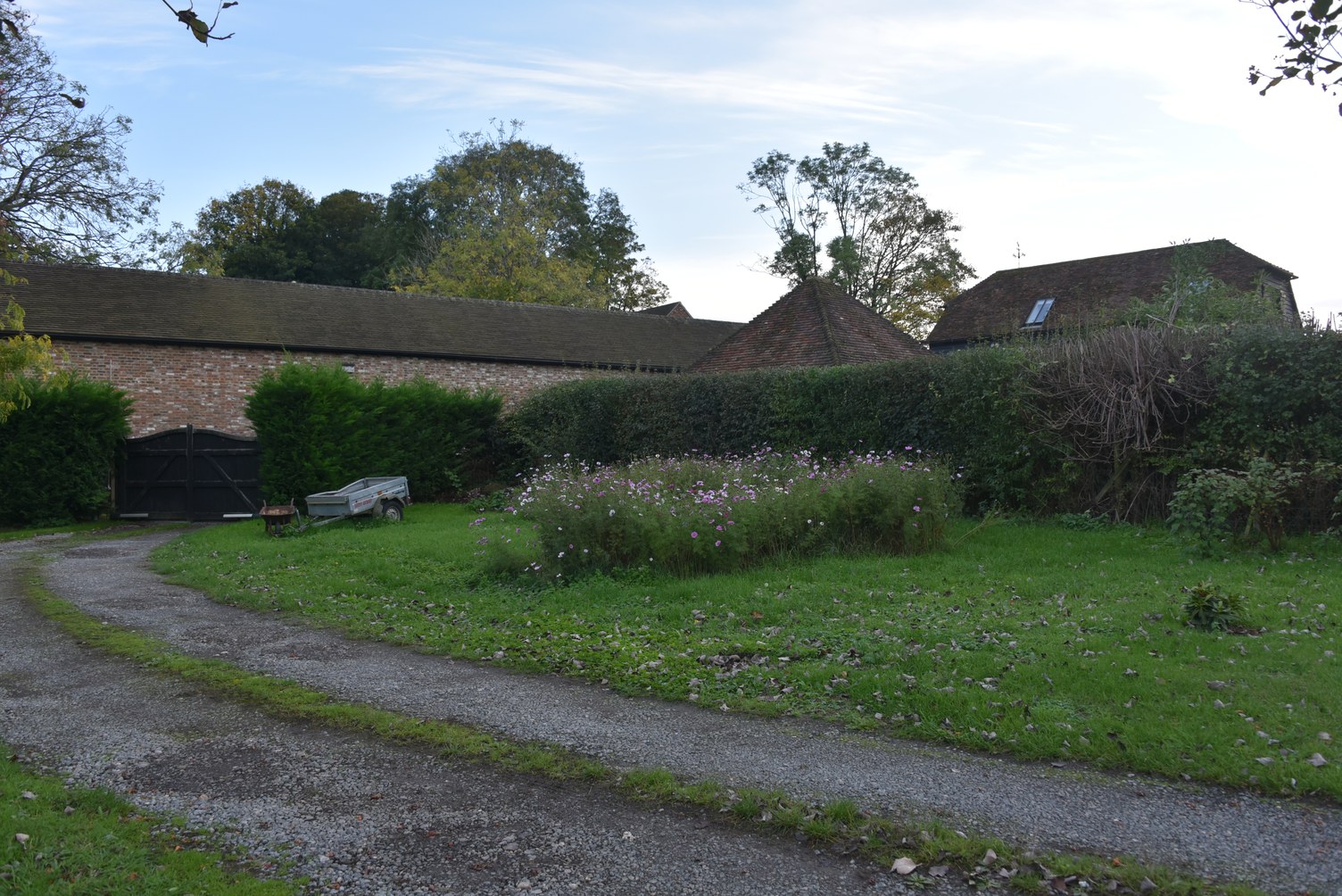 Site todayWith the annex
Have plans that need to look real?
Send me your plans or model and I'll send back a photoreal render in 48 hours, free. One finished still, yours to keep.
Get my free render